
Update #1: Vibe Coding and MCP
My biggest AI watershed moment since getting ChatGPT to write a poem about my gaming career in a Jamaican dialect.

Vibe Coding
TL;DR ‘Vibe Coding’ is a new fad where software developers leverage LLM agents to create entire applications from a single written or voice prompt, even using the LLMs to overcome the troubleshooting, debugging and fixing of errors. I tried the current ‘best-in-class’ setup, and was blown away.
A phenomenon has been taking my YouTube recommendations by storm over the last few months, which is low-code / no-code software development. As it sounds, this involves using AI-driven development platforms which do all the heavy lifting of creating an app, leaving the user with little-to-no-code to write. However, with the advancement of LLMs coding abilities and integrations with IDE’s, there is a new kid on the block in the form of ‘Vibe Coding’.
Vibe Coding was so named by the very code-capable Andrej Karpathy (co-founder of OpenAI and former AI leader at Tesla):
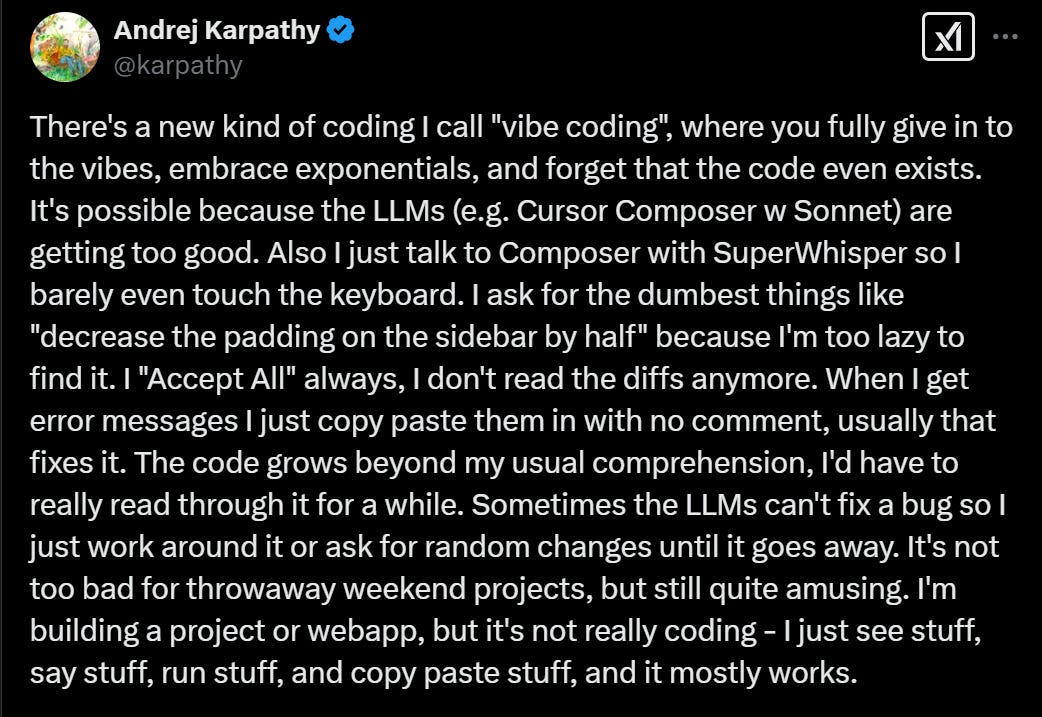
After binging a few more YouTube videos on the topic I decided to play around with the current best-in-class setup (likely to change in about 2 weeks at this rate) which was Windsurf as an IDE and agent, and using Claude 3.7 Sonnet for the LLM under the hood. I’d seen enough hype for Claude 3.7 Sonnet in the coding domain that I was looking for a good reason to try it out, and a recent conversation with my dad left me with just the project to try it on.
Up to this point I’d been using largely ChatGPT and GitHub Copilot (GPT-4) in VSCode for my projects, which I already thought was pretty amazing for my use-case. However, it certainly was not at the point where I could give it a single prompt and it would create a working frontend, backend, database and styling without any additional help.
In true vibe coding style I used one LLM to write the technical application specification, and then fed that into Windsurf’s Cascade prompt and let it loose. Mind-blowingly, I think I was asked for a single approval prompt before the agent started creating directories on my filesystem, running PowerShell commands, updating .env files, and all sorts of other actions which set off alarm bells in security cortex. Making a mental note to do this in a VM next time, I tried to push this to the back of my mind and ‘give in to the vibes’ to see what it was capable of. Don’t worry, I’ll be revisiting the cyber security catastrophe this could be another time.
Over the next 15 minutes I grew increasingly amazed. I watched the agent create separate backend, frontend and database code bases, navigate virtual environments, overcome hurdles such as realising I didn’t have PostgreSQL installed on my system so rewrote for SQLite (which was installed), update README files and spin up the necessary backend API and frontend webservers…
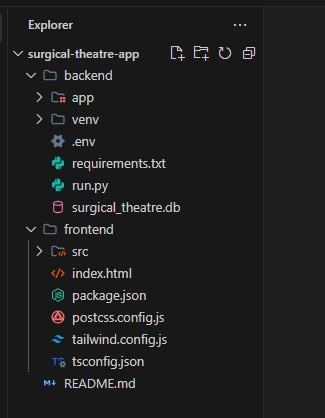
With a huge amount of apprehension I visited the site that had been spun up, expecting to see a wall of traceback errors and mangled HTML. On the contrary, I found a simple but perfectly functioning application, complete with dummy data and features that I had requested…
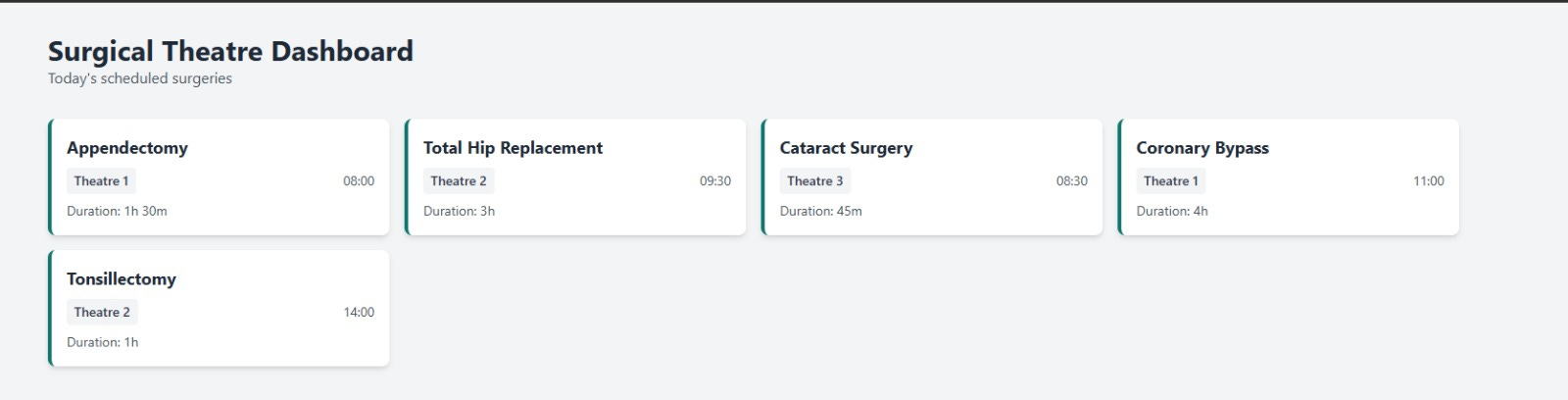
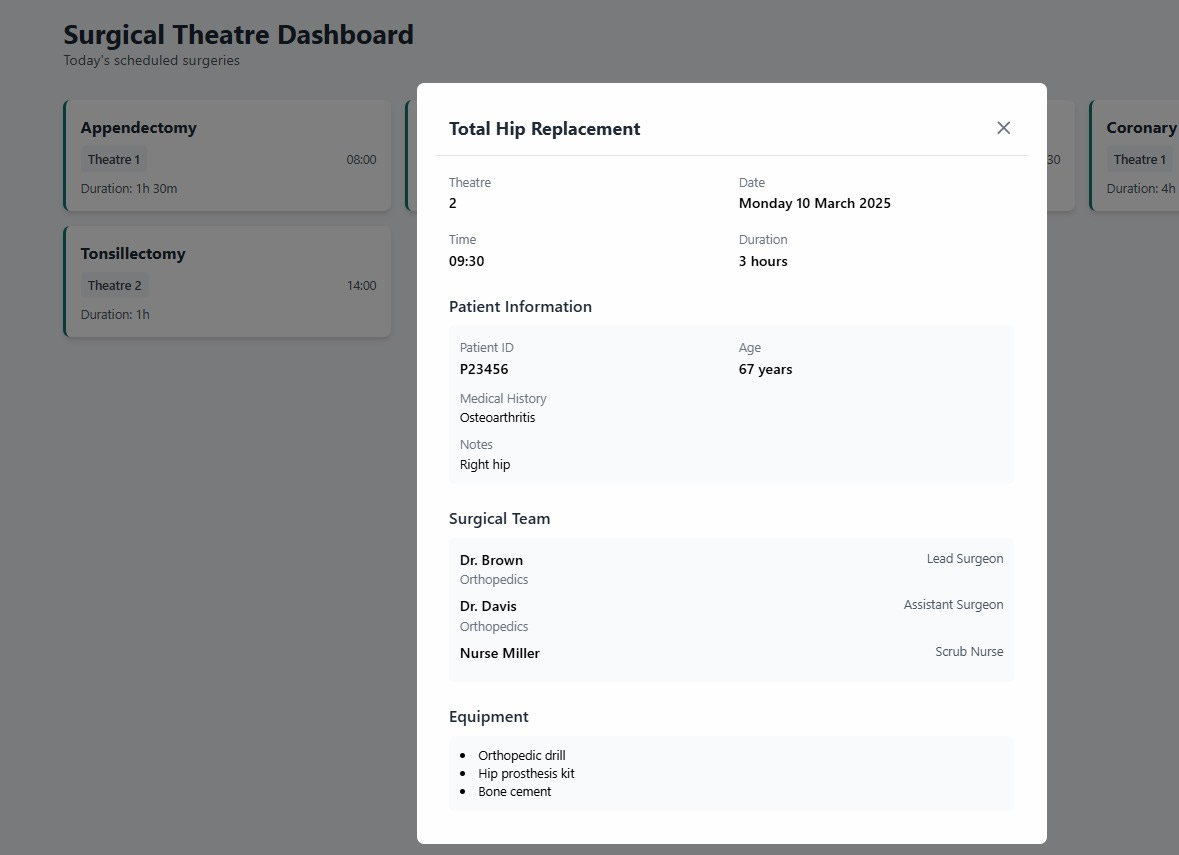
Whilst this is by no means a complicated application I was very impressed at the agents ability to ‘one-shot’ a working application off a single-paragraph prompt, and iterate through the various challenges it came up against. For now this is as far as my vibe coding journey has led me, but it is safe to say that this was another one of those watershed moments for me in seeing what the latest AI models are capable of.
I won’t even make a start on the seemingly impossible question of ‘how do you secure this’ today, as at a first glance I’m left with more questions than answers. However, I’ll be exploring more of the security side to AI in later updates.
Model Context Protocol (MCP)
TL;DR Anthropic, the team behind Claude Sonnet, recently created a standard protocol for allowing widescale integration of AI Agents and Applications with external data sources, tools, and much more. It’s open-source, and is being described as similar to the USB-C standardisation of cables, but for LLM agents.
Despite it’s boring name, the MCP could be the next big thing in the world of agentic AI. It’s being labelled as such because it is an open-source framework which standardises the way in which organisations, or enthusiasts, can connect their AI applications with the external world.
To understand the impact of this, let’s look at the problem that MCP aims to solve. Connecting AI agents with tools and data sources is not something that is new. In fact, ChatGPT gave you the ability to search the web using the integrated search engine tool since 2023. Equally, start up founders have been using the likes LangChain to build agentic AI workflows for some time now. However, building agents that interact with external APIs (think Slack, Gmail, databases, etc.) is something that largely needs to be done on a case-by-case basis. We are not yet at the point where we can just give the API documentation to our agent and it integrates it seamlessly, let alone if you are working with several different LLM models and wanting them all to communicate with the same external sources.
In the above example, we are also plagued with the fact that vendors may change their API schema thereby breaking your custom implementation, and what works in your application may not work for others. With how promising agents are looking as the next leap forward for AI, it’s no surprise that something like MCP has come around in an attempt to standardise the process of connecting agents with any tools / databases / etc. in a consistent way.
So, how does it work?
Whilst not my favourite image the below gives you a high-level overview. On the left we have the MCP client, which can be the things you want to connect to the external world such as your IDE, agent, etc. These communicate using the standard MCP protocol specification with the MCP server(s). These servers act as the middle man, facilitating the connection from the MCP client to the actual backend system you want to use, such as Slack or an S3 bucket.
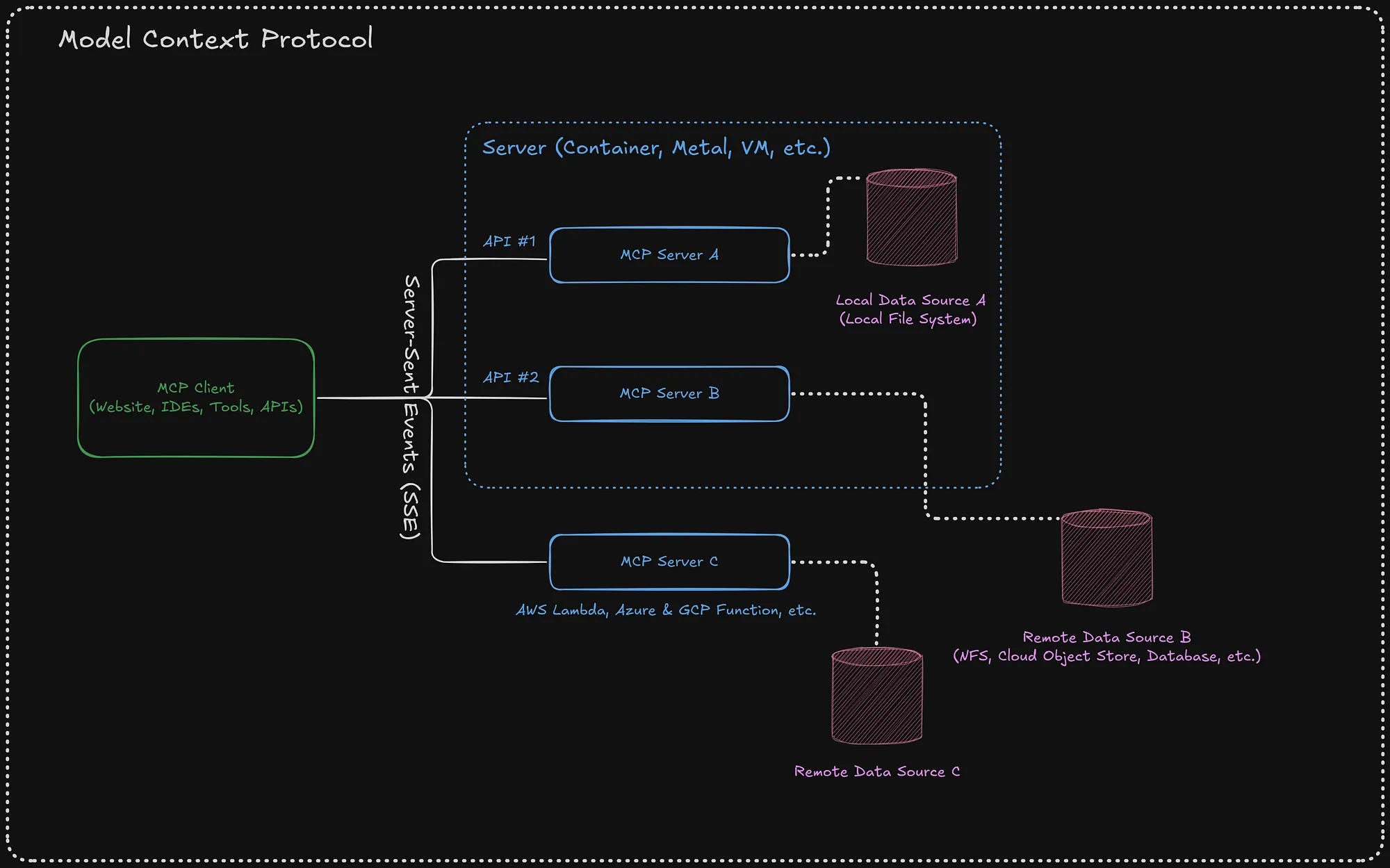
As such, once you have an MCP server in front of the system you want to use you know that your connection to, formatting of data, and communication with that tool will be standard across all clients, hugely improving the flexibility and integration opportunities between these systems.
And this is exciting from both sides of the coin. Let’s say you want to connect your custom-made AI agents to Slack’s MCP server so that it can easily notify users when an action is performed. Great news, MCP clients allows you to easily integrate these systems in a more robust way. Similarly, let’s say you are a business that uses clever algorithms to produce hyper-accurate weather reports. Now you can create your own MCP server and expose it publicly allowing others to integrate with your system in a more defined manner than just an API.
The security side of MCP is something that I’m very interested in doing some more research into, but for now I just wanted to introduce the topic and hopefully open your eyes as to how impactful this could be should it become the standard underpinning integrated AI system communications moving forward.
Thanks!
This was my first blog / newsletter covering my learning journey in AI and AI security. If you’ve made it this far, thanks! I hope it provided some value to you and you enjoyed reading it as much as I enjoyed writing it.